
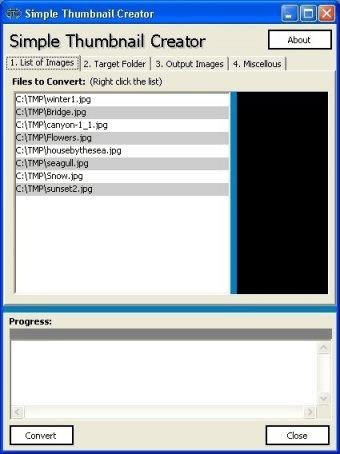
Simple Thumbnail Creator is a free and easy-to-use application to resize your JPEG images to fit the dimensions of a thumbnail. The output image will be another JPEG file, whose size is fully customizable. You can apply a limited number of settings to fine-tune the final appearance of your images. As a bonus, this tool can generate an HTML page containing all the resulting thumbnails.
Simplicity of use is probably its main feature. Its small and clear interface allows you to perform the whole resizing process in a few simple steps. The few settings available will help you achieve clean and high-quality thumbnails. Thus, you can define a background color for those areas of the original file surrounding the image proper. Another possibility is to make these empty areas transparent, or simply erase them. Finally, you can let the program rearrange the original aspect ratio or leave it untouched.
Based on this simplicity, help files have been obviated. Not that they are really needed, but this means that you will need to go through different tests to understand how the program works (especially when cropping images), and to achieve the correct size and appearance of your thumbnails.
The functionality that allows you to produce an index page in HTML is actually a nice feature to have. It creates a new HTML page every time you convert an image or a bunch of them, working like a table of contents for each resizing process. It will not append images or pages from previous conversions, so if you need a web page to show your complete collection of thumbnails you will have to re-load the original files and re-convert them.





Comments (1)